Declarative Process Design
Faster to create, easier to maintain, and the reliability of One Complete Model for each business process.
Declare the process components and desired rules while Flowstate organises and generates everything else. Process model maintenance now takes minutes, not months.
The Composer
Design the process, not the diagram.
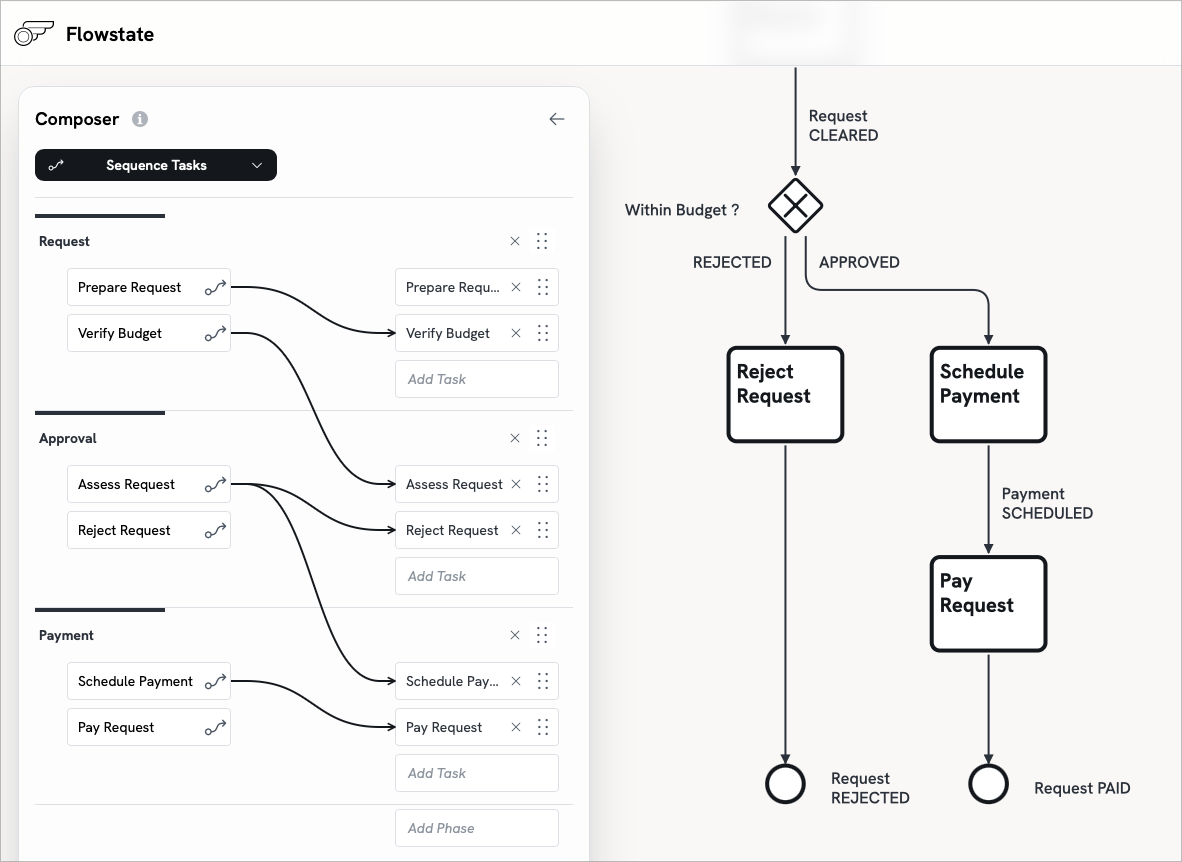
The Flowstate Composer presents a guided process design workflow. Describe the Phases, Tasks, Decisions and Workers in your own business language; Flowstate understands formal process syntax and builds One Complete Model from it.
This structured method promotes good practice, so less modelling experience is needed to build a reliable model. You can think about the process design without the distraction of drawing.
Manual drawing tools start from a blank canvas with a library of shapes for the designer to use in any way. Flowstate leads the designer in defining the full semantic structure of their process, so the diagram is generated immediately.
Generated Diagrams
Abolish the Drawing Tax.
Diagrams are generated from the Single Model, never drawn by hand. Flowstate knows the meaning of a Task, a Gateway, a Worker and an Event, immediately generating the BPMN view, the Swim-lane view and the Entity Lifecycle view. And, more views are coming.
Diagrams are beautiful and correct from the start. Regenerate or revise the layout of any view with a single click, so each of your stakeholders gets exactly what they need, immediately.
In Visio, Lucidchart, Signavio, GBTEC, Nintex or ARIS, every diagram is still drawn manually and requires extra rework for every audience.
One Model
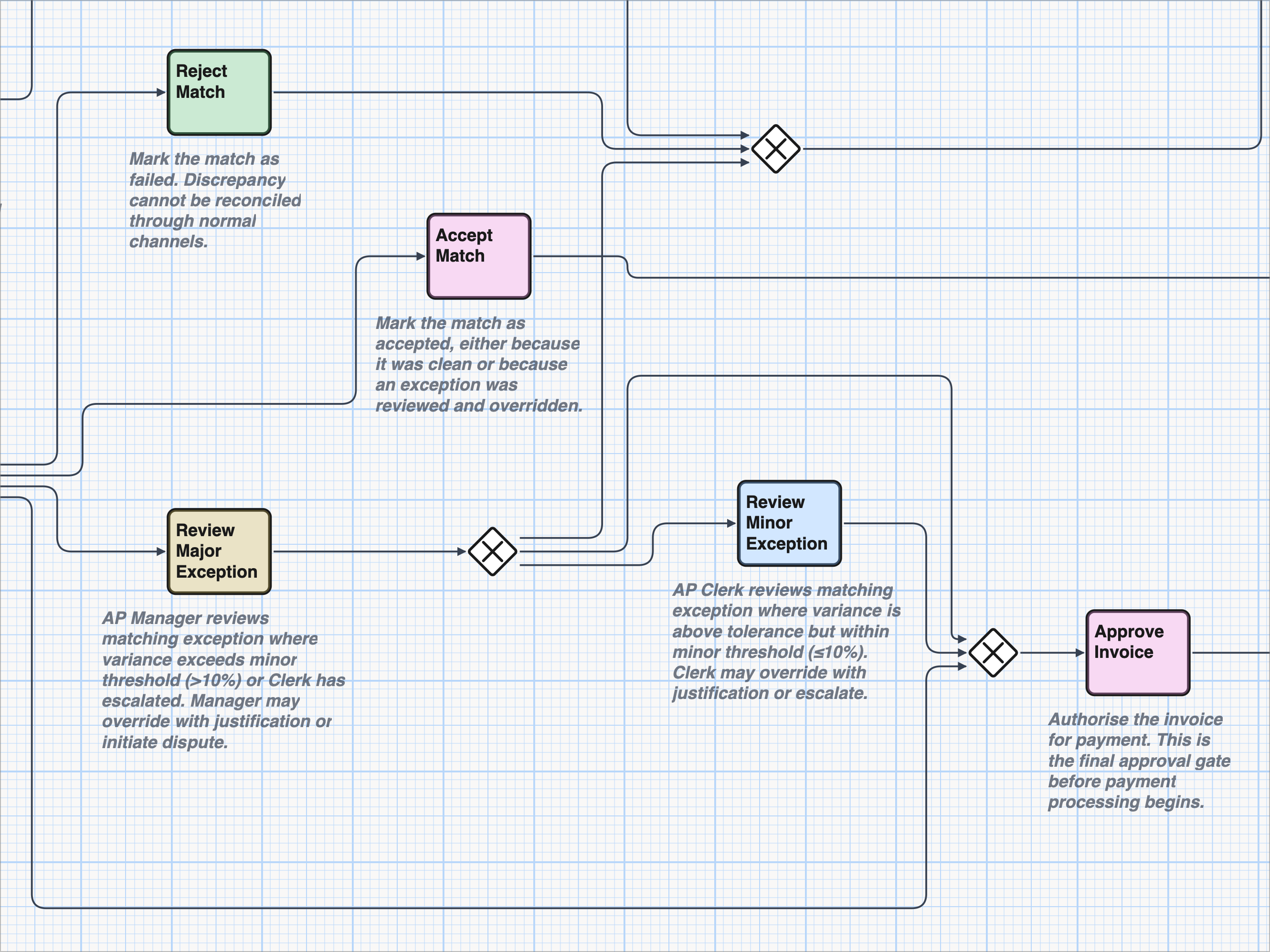
One Model. Many views. Always in sync.
Each process is stored as One complete digital Model, and every diagram and document is a view of it. Change the model once and every view and document updates. Views can never drift apart.
You change only what you need to, with no need for duplicate editing or synchronisation of separate files.
Drawing tools place each version of every drawing in a separate file to be kept in sync manually. Enterprise process repositories are an improvement, but also store versions of drawings, not a single model.
Entity-State Lifecycle
Map the HOW. Reveal the WHAT.
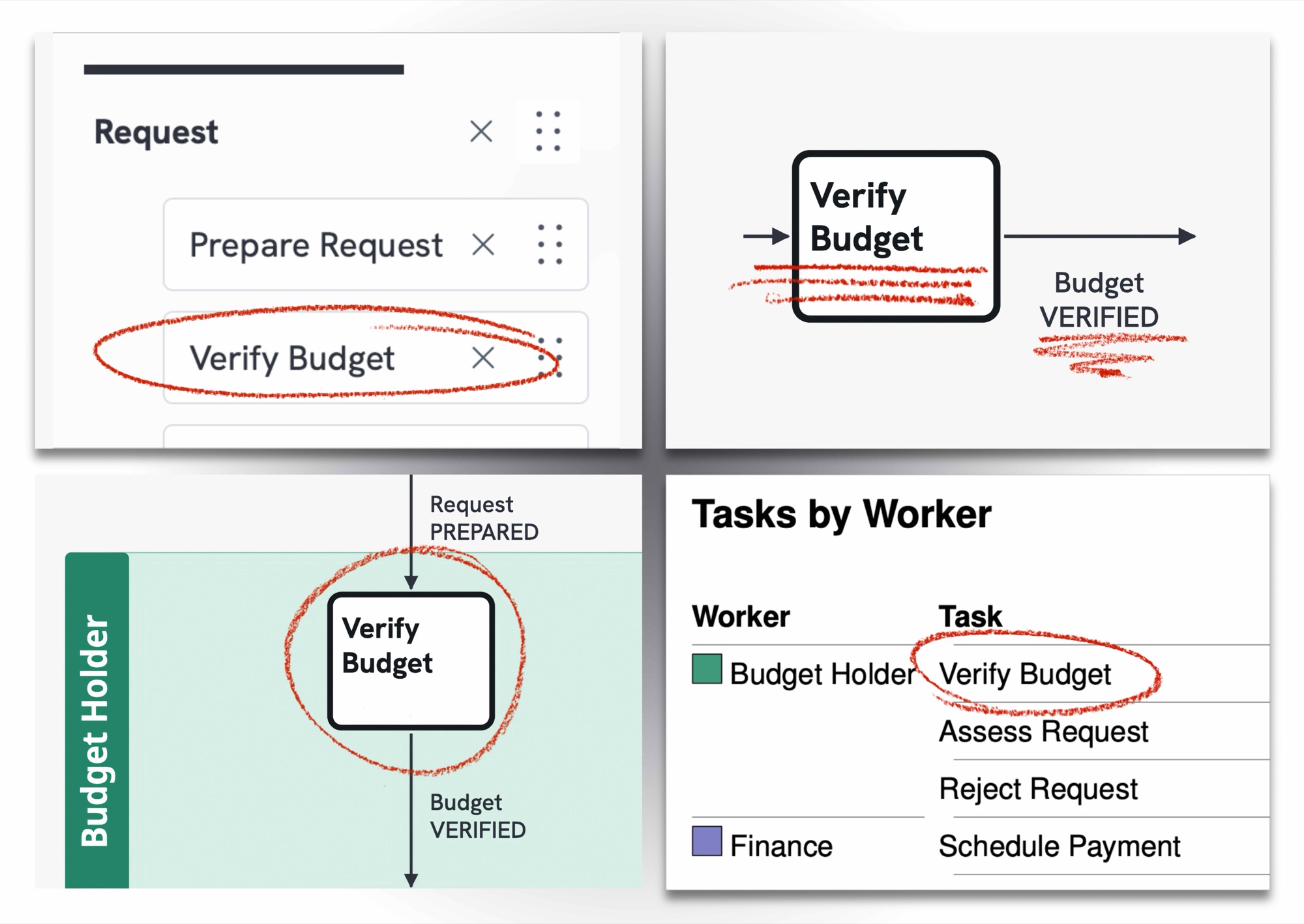
As you model the Work, Flowstate immediately infers the Entities your process changes, their possible States and their actual Lifecycles.
See the WHAT behind the HOW, and understand what your process really does. Reviewing each Lifecycle helps you spot errors earlier, such as a Business Entity that skips a State, or never completes its compliant Lifecycle.
Drawing tools and most BPM platforms model only a flowchart of Tasks, and the costlier ones attach data to individual Tasks. With no extra effort, Flowstate builds the whole model, showing how each business THING changes from start to finish.
Workers & Task Assignment
Define who does the Work, and where it changes hands.
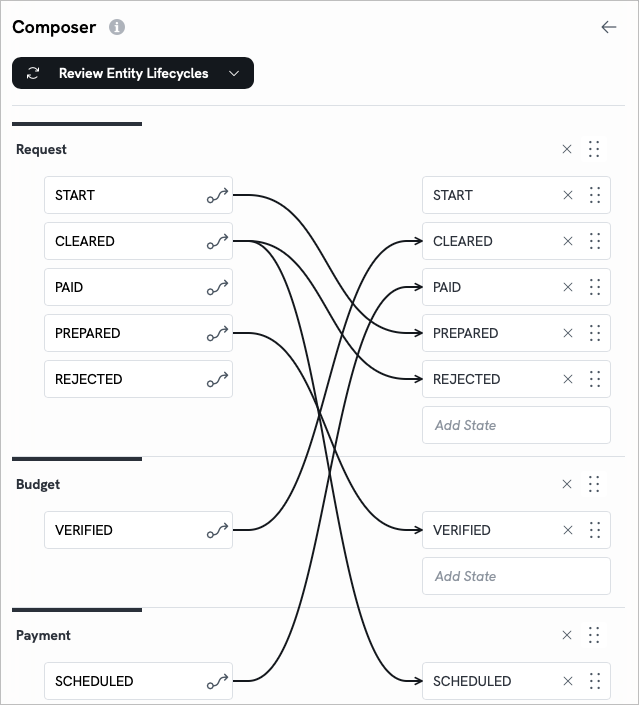
Workers are part of every Flowstate model. A Worker can be a person, a system, a machine or an AI agent, and each Task is assigned to the Worker responsible for it.
Designers can define and group their process Workers. Flowstate uses colours to highlight different Workers in diagrams, for ease of understanding.
In drawing tools, the people doing the Work are just labels on lanes in a static picture. In Flowstate, Workers are part of the model, so every generated view knows who does each Task.
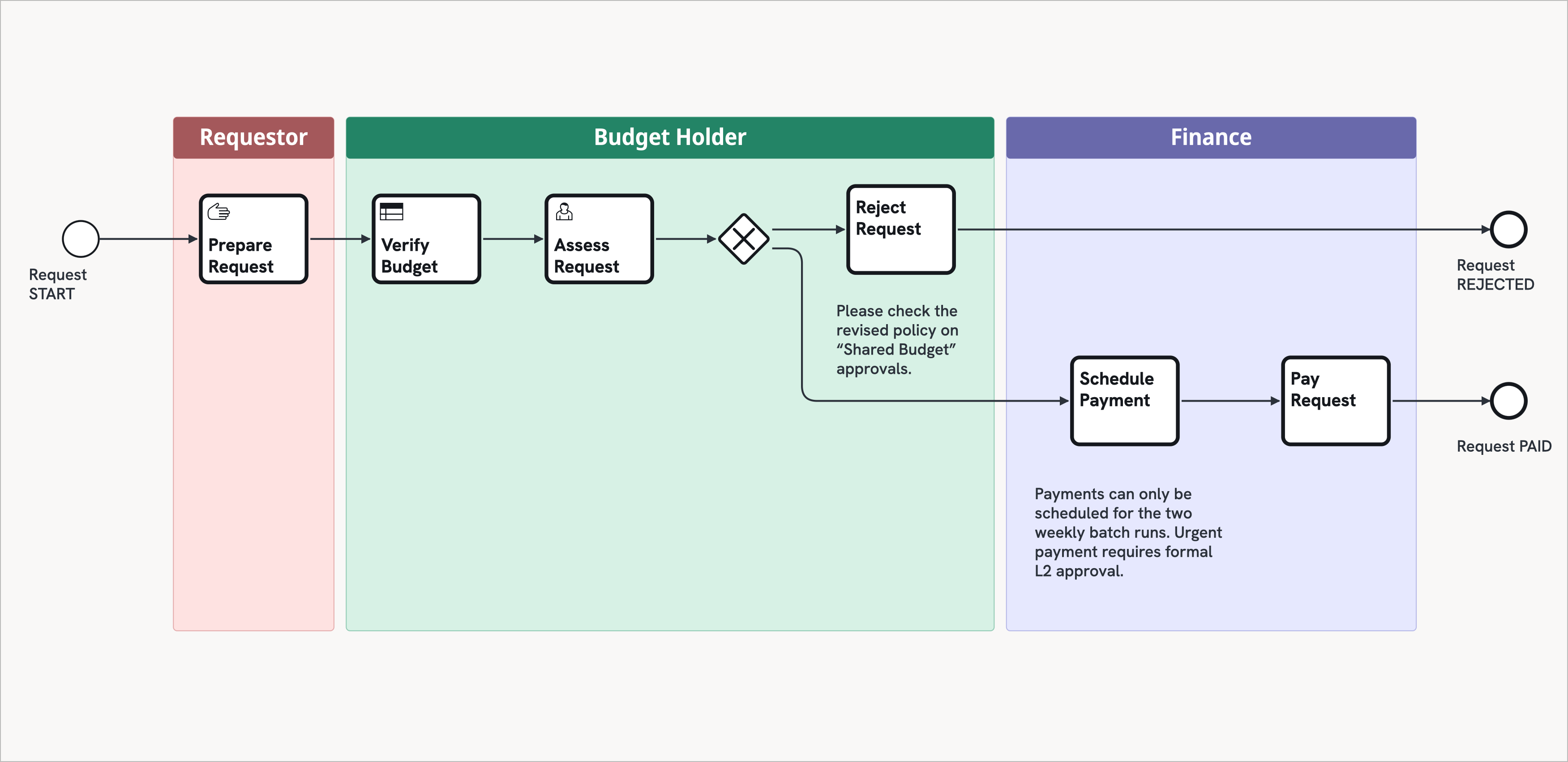
Diagram Export & Publishing
Publish-ready diagrams in one click.
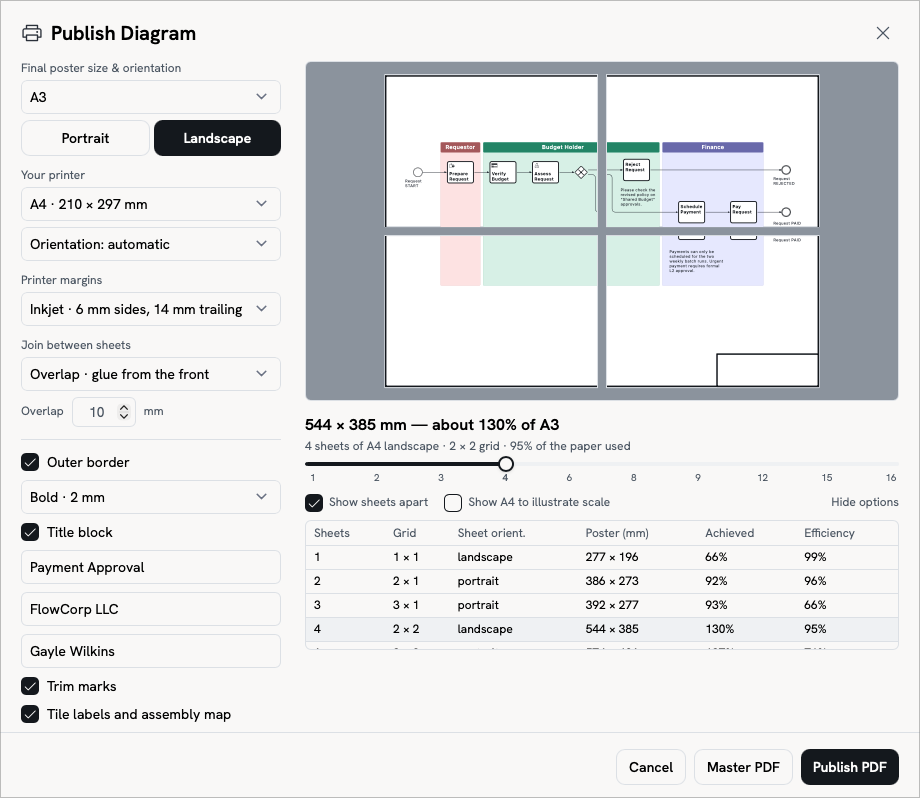
Export any diagram as SVG or PDF in a range of page sizes. Large diagrams can be tiled across smaller sheets and printed on any printer.
Consistent, scalable, presentation-ready diagrams for every stakeholder and further business reuse.
Flowstate produces professional output diagrams with appropriate scaling, tiling, borders and title blocks.
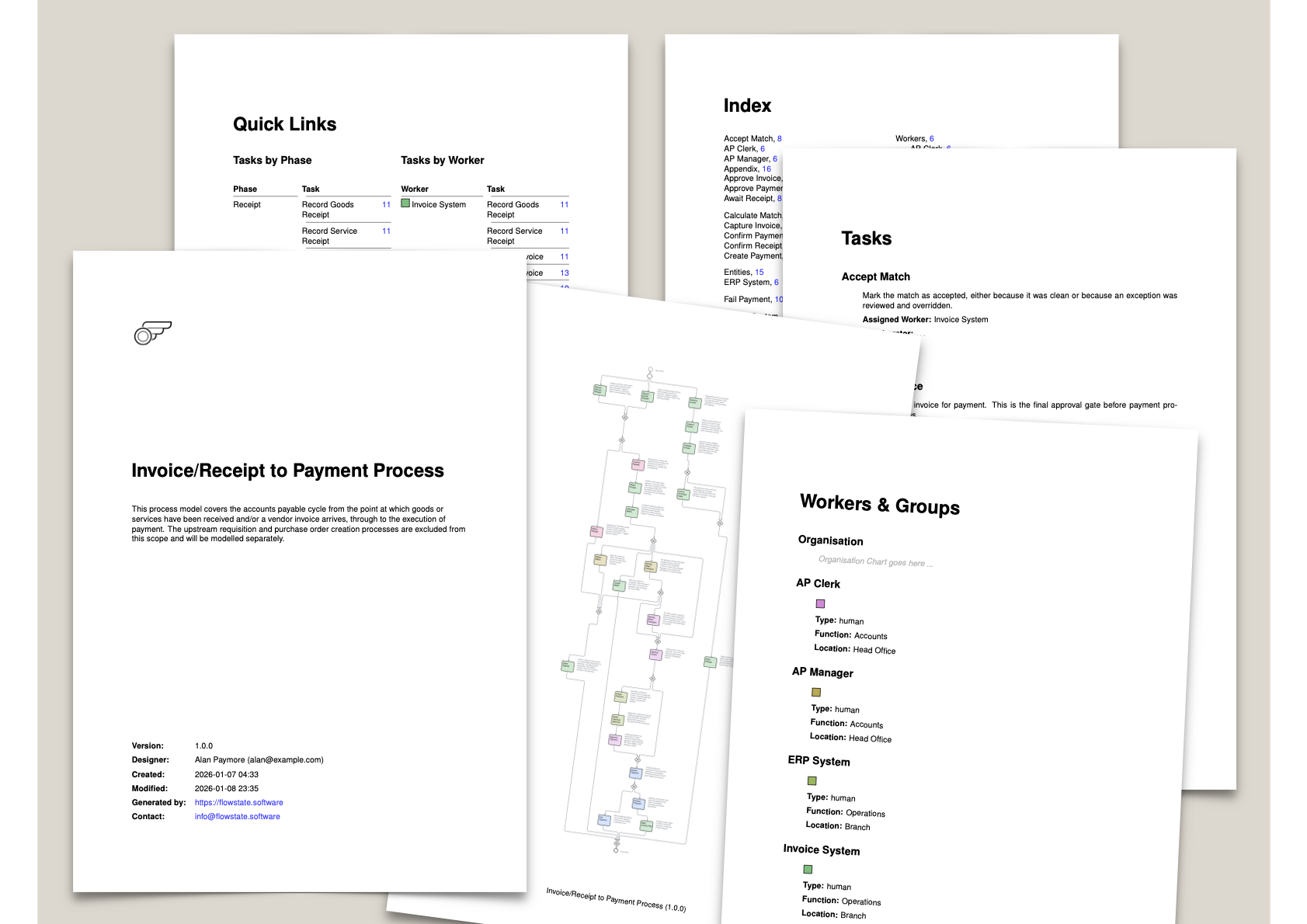
Documentation Publishing
Documentation is published directly from the model, never retyped.
Choose the sections and depth of written documentation detail suitable for each audience, then publish it in; PDF, HTML, Markdown or MS-Word (.docx) formats.
Professional documentation tailored by you for each specific audience, and it always matches the model.
In Flowstate process documentation is fully integrated, always derived from the Single Process Model and available at a click.
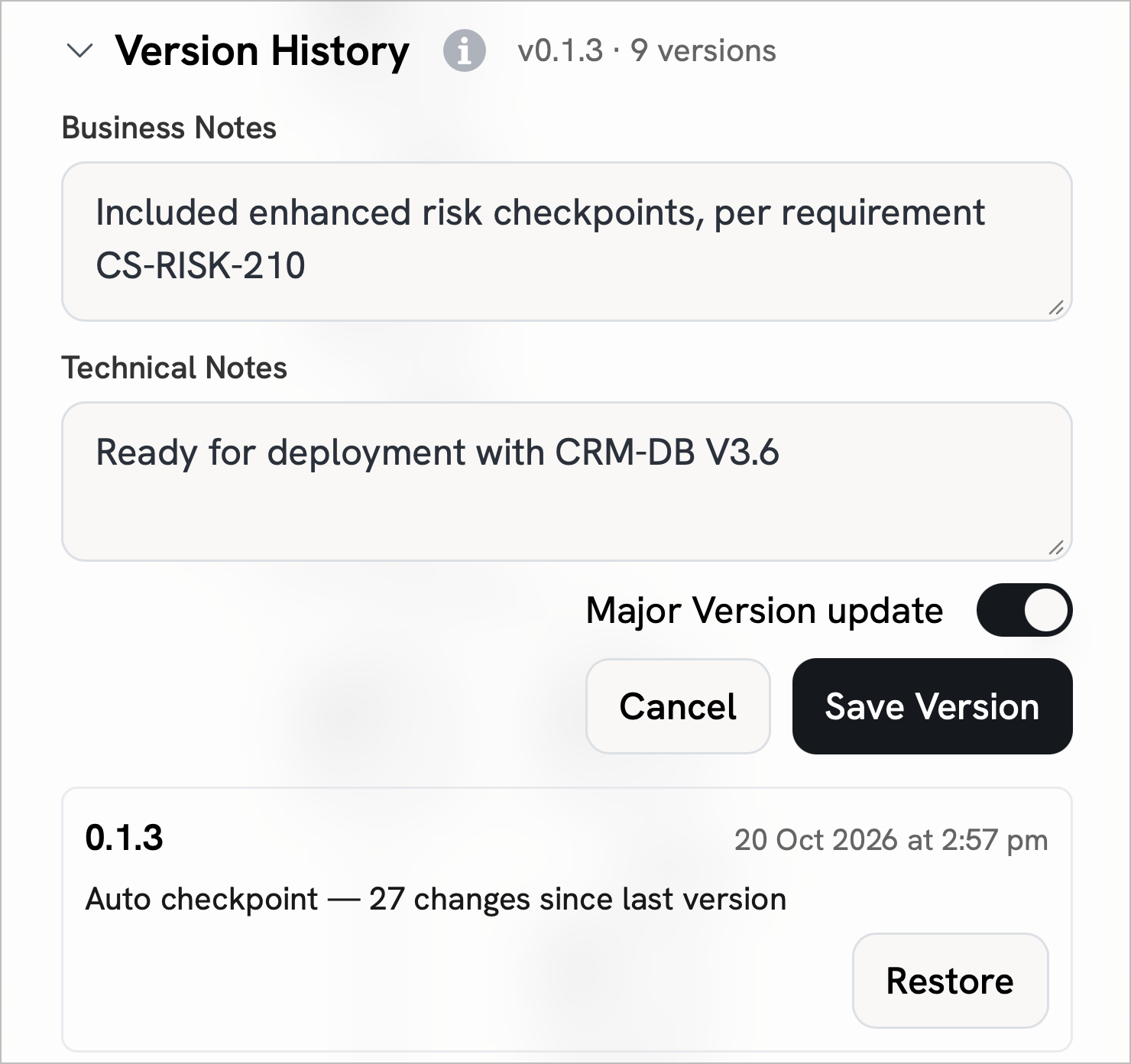
Model Versioning
Roll back any change. Nothing is lost.
Flowstate uses semantic versioning. Save major or minor versions of the model with plain-language notes, and restore any version at any time.
Move back or forward through the model's history with confidence.
Drawing files rely on manual copies and manually managed files in separate tools like SharePoint. Flowstate stores and versions the whole model as a single, valuable corporate asset.
AI-Ready
AI-Accessible today.
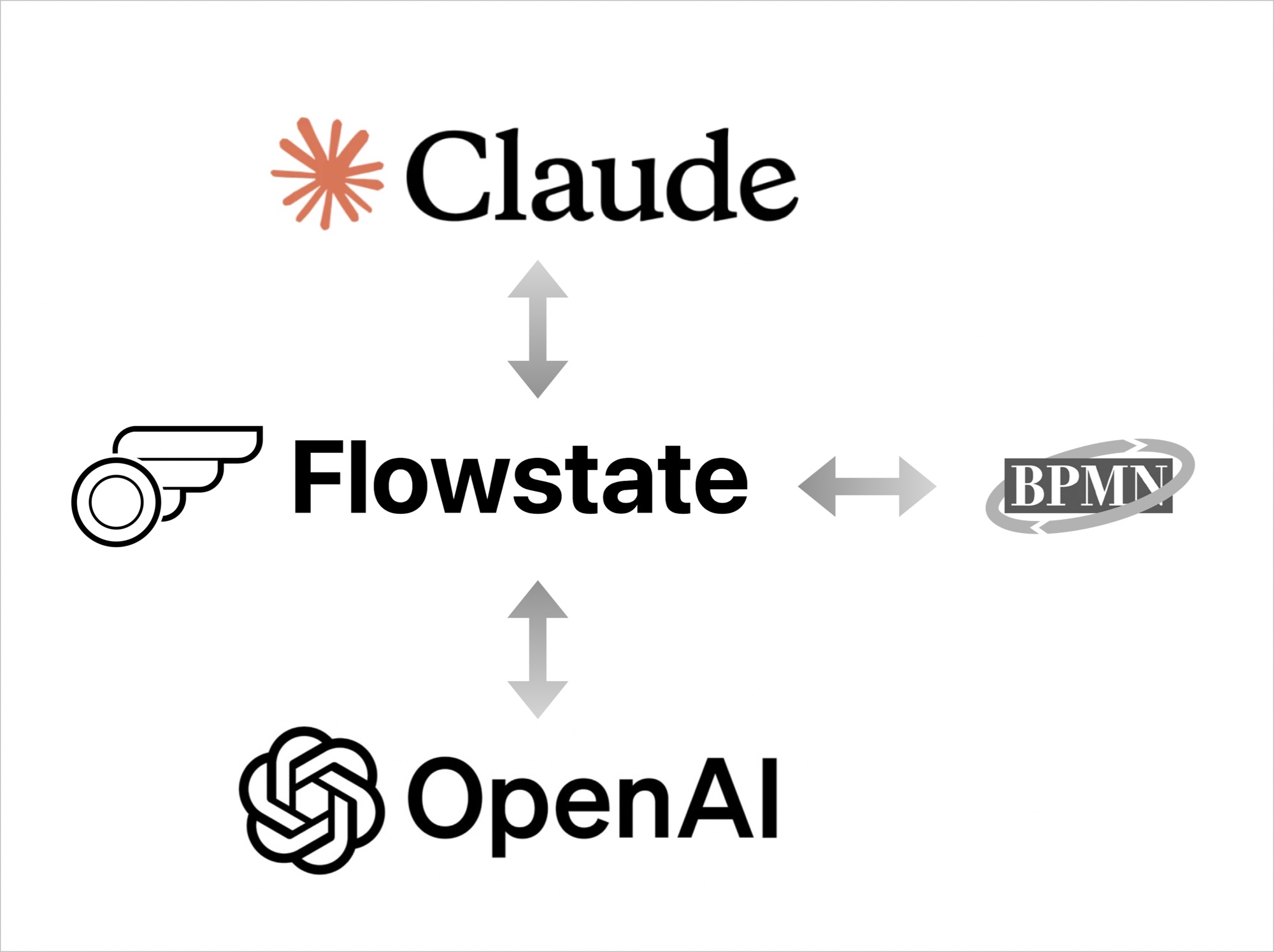
Flowstate imports and exports process models as plain structured text, so any AI assistant can quickly learn to "Talk Flowstate."
Let an AI assistant draft your model, then refine, publish and manage it in Flowstate. Every Flowstate feature works on every model, however it was created.
Competitors' AI features typically draw basic pictures. Flowstate hands your AI system a formal process model that both can understand and develop together.
See Declarative Process Design for yourself
Start with the free tier and discover why Flowstate is changing the way business analysts approach process modeling.
No credit card required